
Download ZonTools – AI‑Powered Amazon PPC Optimization Software
What Is ZonTools and Why It Matters for Amazon Sellers
ZonTools is a next‑generation Amazon PPC (pay‑per‑click) management and automation platform designed to give sellers a decisive edge in the crowded Amazon marketplace. Built on proprietary artificial‑intelligence technology, ZonTools continuously monitors, analyzes, and adjusts Sponsored Product, Sponsored Brand, and Sponsored Display campaigns so that advertisers can focus on product development while the software drives sales and brand exposure. The solution works equally well for seasoned multi‑SKU vendors and newcomers launching a single product, and it even supports niche programs such as Merch by Amazon.
By automating bid adjustments, keyword discovery, and budget allocation, ZonTools helps users reduce wasted spend, improve ACOS (Advertising Cost of Sale), and capture high‑intent buyers who are ready to purchase. The platform’s intuitive dashboard presents performance data in real‑time, allowing sellers to make informed strategic decisions without digging through endless Amazon reports. In short, ZonTools is the “set‑and‑forget” engine that turns Amazon PPC from a time‑consuming chore into a profit‑maximizing asset.
Key Features & AI‑Driven Automation
- AI Bid Optimizer: Machine‑learning algorithms analyze historical performance and automatically adjust bids to target the most profitable ad placements.
- Keyword Harvesting Engine: Continuously discovers high‑volume, low‑competition keywords and adds them to campaigns without manual research.
- Campaign Automation Rules: Users can set custom rules for budget caps, ROAS targets, and defensive bid strategies to protect against competitor hijacking.
- Cross‑Promotion Builder: Creates coordinated Sponsored Brand and Sponsored Display ads that drive traffic between related products, boosting overall sales velocity.
- Defensive Campaign Suite: Identifies and blocks rival sellers from bidding on your branded keywords, preserving your organic visibility.
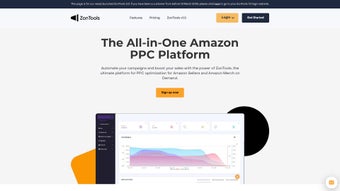
- Real‑Time Dashboard: Visualizes impressions, clicks, spend, and ACOS across all ad types in a single, customizable view.
- Multi‑Marketplace Support: While focused on Amazon US, the platform also supports Amazon Canada, UK, Germany, and Japan with region‑specific optimization.
- Scheduled Reporting: Automated email reports summarize weekly performance, making it easy to share insights with team members or stakeholders.
Beyond the raw feature set, ZonTools distinguishes itself through seamless integration with Amazon’s Advertising API, ensuring data freshness and compliance with Amazon’s policies. The AI engine runs in the cloud, meaning updates and improvements are delivered instantly without user intervention. Whether you need to launch a new product, revive a stagnant campaign, or scale a high‑performing line, ZonTools offers the flexibility to tailor automation intensity—from “hands‑off” mode for beginners to granular rule‑based control for power users. The platform also includes a built‑in learning center, featuring video tutorials and best‑practice guides that help sellers understand the nuances of Amazon advertising, making the software both a tool and an educational resource.
Installation, Compatibility, and How to Get Started
ZonTools is a cloud‑based SaaS solution, which means there is no traditional “install” process on your local machine. After purchasing a subscription, you receive a secure login link that grants you access to the web dashboard from any modern browser. The platform is fully responsive and works on Windows, macOS, Android, and iOS devices, allowing you to monitor and tweak campaigns on the go.
Step‑by‑step onboarding:
- Create an account: Visit the official ZonTools website, click “Start Free Trial,” and fill out the registration form. You’ll need an active Amazon Seller Central account to connect via API.
- Connect your Amazon store: Follow the guided OAuth flow to authorize ZonTools to read and write advertising data. This step is encrypted with TLS 1.3 for maximum security.
- Import existing campaigns: ZonTools automatically pulls in all current Sponsored Product, Brand, and Display campaigns, presenting them in the dashboard for immediate review.
- Configure automation rules: Use the pre‑built templates (e.g., “Aggressive Growth,” “Conservative ACOS”) or build custom rules based on your profit margins.
- Launch AI optimization: Activate the AI Bid Optimizer with a single click. The system will begin adjusting bids within minutes, while you continue to monitor performance.
- Review daily reports: Set up email or Slack notifications to receive concise performance snapshots each day.
Because ZonTools runs entirely in the browser, it is compatible with the latest versions of Chrome, Firefox, Safari, and Edge. Mobile users can access the same features through the dedicated iOS and Android apps, which support push notifications for critical alerts such as budget overruns or sudden ACOS spikes.
The user interface is designed for clarity: left‑hand navigation groups campaigns by type, while the central canvas displays real‑time charts. For power users, an advanced “API Access” tab allows you to export raw data to third‑party BI tools such as Power BI or Tableau. Throughout the onboarding journey, ZonTools offers live chat support and a knowledge base, ensuring that even non‑technical sellers can get the most out of the platform quickly and securely.
Pros, Cons, Frequently Asked Questions, and Final Verdict
Pros
- AI‑driven bid management dramatically reduces manual workload.
- Comprehensive support for all major Amazon ad types.
- Defensive campaigns protect brand keywords from competitors.
- Cross‑platform compatibility (Windows, Mac, Android, iOS).
- Transparent pricing with a 14‑day free trial.
Cons
- Requires an active Amazon Seller Central account for API access.
- Learning curve for advanced rule customization.
- Performance depends on the quality of the underlying product listings.
Frequently Asked Questions
Is there a free version of ZonTools?
ZonTools offers a 14‑day free trial with full feature access. After the trial, you must choose a paid plan to continue using the automation tools.
Can ZonTools manage campaigns for multiple Amazon marketplaces?
Yes, the platform supports the US, Canada, UK, Germany, and Japan marketplaces, allowing you to synchronize strategies across regions.
How does ZonTools ensure data security?
All data transmission uses TLS 1.3 encryption, and API credentials are stored in encrypted vaults. ZonTools complies with GDPR and Amazon’s data‑handling policies.
What pricing plans are available?
ZonTools offers three tiers: Starter ($49/mo), Growth ($129/mo), and Enterprise (custom pricing). Each tier includes a different number of managed SKUs and automation rules.
Can I cancel my subscription at any time?
Yes, subscriptions are month‑to‑month and can be canceled through the account dashboard without penalty.
Final Verdict – Should You Download ZonTools?
For Amazon sellers who are serious about scaling their advertising spend without drowning in daily optimizations, ZonTools delivers a compelling blend of AI intelligence, comprehensive feature coverage, and ease of use. The platform’s ability to automate bid adjustments, protect branded keywords, and generate cross‑promotion strategies translates directly into higher ROI and lower ACOS. While the software does require a basic understanding of Amazon ad structures, the built‑in tutorials and responsive support mitigate most learning hurdles. If you’re looking for a secure, cloud‑based solution that works on Windows, macOS, Android, and iOS, and you value a free trial to test the waters, ZonTools is a solid investment. Click the button below to start your free trial and let the AI take your Amazon PPC campaigns to the next level.
Download ZonTools Now


.png)



